
For years, the reference for PC4uMusic configurations was the free program AIMP, and in March 2026 its new beta version was released. The author presents it: This is the first truly cross-platform version of the player for PC. AIMP is now capable to run on Linux without Wine!. However, this does not change much in terms of music playback quality, as the tests performed best with WASAPI support.

Windows Audio Session Application Programming Interface has been around for many years but unfortunately it has not yet earned an entry in Wikipedia, but there is a bit about it in the information about Vista. David Aleksandersen published also a text in December 2017 entitled "What is WASAPI?" in which he tries to provide broader information. The released AIMP 6 beta version is interesting, but these are not the changes needed for PC4uMusic configuration. The older versions have not lost their attractiveness yet.
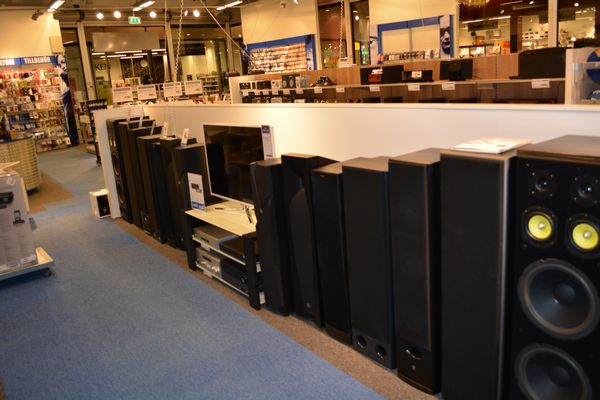
PC4uMusic configurations primarily assume listening to music through hi-fi speakers, which have become less popular, and the availability of them has changed. This is evident in the changing preferences of consumers. These changes were indirectly revealed many years ago in comments from readers of software-related websites. PC4uMusic configurations were often commented on from the perspective of those who exclusively use headphones.

Windows also has a Room Correction feature. This allows for high-quality music playback. Wikipedia starts with information on this topic: Digital room correction (or DRC) is a process in the field of acoustics where digital filters designed to ameliorate unfavorable effects of a room's acoustics are applied to the input of a sound reproduction system. Modern room correction systems produce substantial improvements in the time domain and frequency domain response of the sound reproduction system. Microsoft describes it as: Calibration is performed with the help of a microphone, and the
procedure can be used with both stereo and multichannel systems. This Windows function does not work with a laptop when using its built-in sound processor for external speakers connected in the simplest way, via the headphone output,
 An alternative for laptop users is a free program foobar2000, for which a Room EQ plug-in is available. This program is also available for working with Linux or Android, but the plugin is only for Windows. There is also a WASAPI plugin that allows you to achieve 32-bit float oversampling during D/A processing, just like with AIMP.
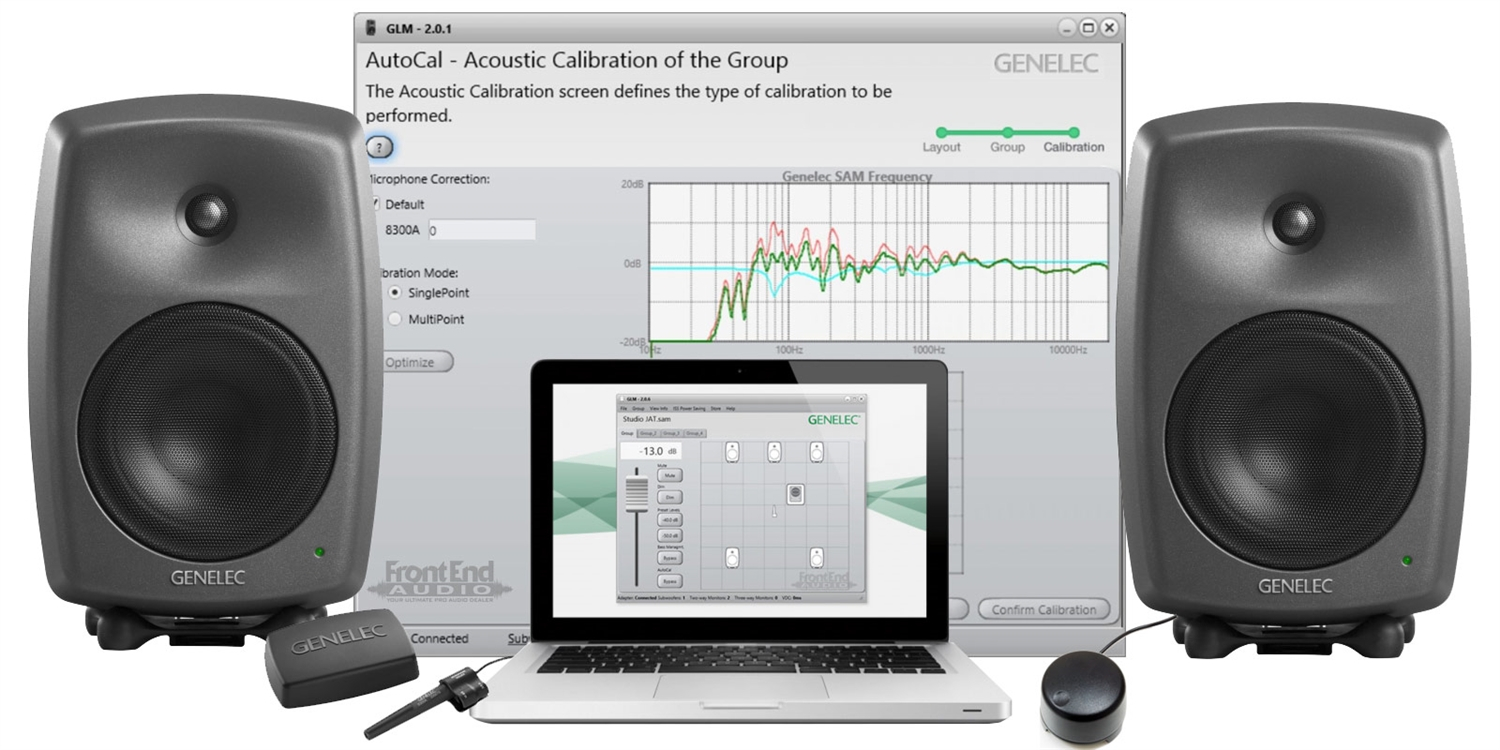 Genelec studio monitors, whose calibration system is exceptionally refined, are a very attractive option, not just for laptops. However, this is expensive, and connecting these monitors digitally reduces their oversampling capabilities, which is an oversight in the software that supports them. Connecting them analogue is also not an optimal solution.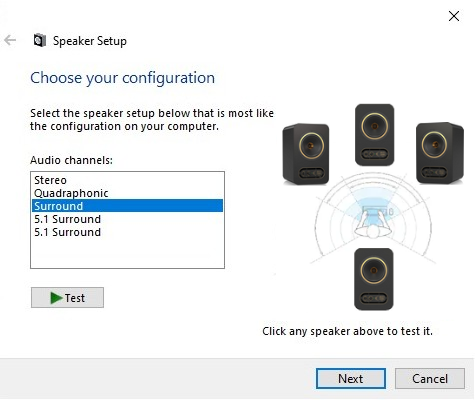
Windows on a desktop PC also allows you to play music through 4 speakers at home, what was proposed already in 1987 in Dolby Pro Logic. This capability isn't available on expensive hi-fi equipment. More information about the interesting offer in this area can be found in the text entitled: British proposals for new 4 ch surround in Windows. This solution works much better when the speakers are optimally calibrated in the room where the music is played. Tannoy active coaxial speakers can be connected to PC only analogue and work without problems with WASAPI and Room Correction.

Interesting desktop PC possibilities are available in the free PotPlayer program with
optimal use of oversampling and digital crossover capabilities for low
frequencies - that can only be reproduced by a single speaker (LFE) and has been made, reducing the size of the home set of electroacoustic transducers. However, the 3/0/1+LFE setting is not optimally synchronized with Windows Room Correction, but works well in practice when the center speaker is placed on the subwoofer.

PotPlayer is also useful for tests with the reference headphones Sennheiser HD 250 Liniear and recordings available with lower resolution. The headphones connected via the DIN 45327 connector directly to Inlel HD Audio port on the PC motherboard ensured optimal separation of the analog signal channels and precisely verified the decoding quality of compressed recordings such as AAC or MP3. The LAV Filter performs very well and can be configured to work with PotPlayer.

drawing by Per Oscar Dahlberg
Benjamin's psychoacoustic lab is
constantly testing and implementing possibilities for optimal music
playback using new technical solutions with the computing potential of
computers and open structures. PC4uMusicis the main project and this blog is just a notebook focused on technical possibilities, not the beauty of words.

foobar is available for working with: Windows, macOS, Android, iOS
ReplyDeletehttps://www.foobar2000.org/
MathAudio Room EQ VST/AU and free EQ for Foobar2000 are for Windows
Deletehttps://mathaudio.com/room-eq.htm
There is also a MathAudio Headphone EQ VST/AU and Headphone EQ for Foobar2000 plugin, but its obsolescence is less obvious
Deletehttps://mathaudio.com/headphone-eq.htm
foobar Windows version works on Linux via Wine.
Delete
ReplyDelete28
there is a version of AIMP for Android
https://aimp.ru/?do=features&os=android
LAV Filters are based on FFmpeg multimedia libraries (a multi-platform solution to convert, stream and record audio and video content). As a set of DirectShow filters, it contains LAV Splitter (used as a source filter/splitter to demux files in separate elementary streams) and LAV Audio and Video Decoder (an audio and video decoder focused on quality and high performance).
ReplyDeletehttps://viewline.tv/lav-filters/
FFmpeg is a free and open-source software project consisting of a suite of libraries and programs for handling video, audio, and other multimedia files and streams.
Deletehttps://en.wikipedia.org/wiki/FFmpeg#