
The advantage of the new surround sound solution offered by Samsung and Google is better adaptation to music playback with the equipment available at home, but this does not change the fact that the speakers need to be individually calibrated to the room.

For years, Windows has had the ability to optimally calibrate speakers for music playback in a specific room. It is also very useful for reproducing surround sound at home.. This isn't free software, but there's no need to pay extra for this feature. It's available in the system's audio processor driver and can be used with desktop PCs. Listening to music with a laptop and speakers connected via headphone outputs is no longer as simple as that. Additional software must be installed on the laptop.

Foobar caught the eye early in the audio world , and there are plugins for it that allow for quite precise PC configuration to suit individual needs. Among them, the MathAudio Room EQ plugin is available free of charge . It can be used to calibrate speakers connected to a laptop's headphone output. However, it only works in stereo. It is ideal for portable speakers, which have their limitations and investing in expensive calibration software does not make sense.
 This plugin performed very well with the Swiss manufacturer's active speakers. Logitech Z 207 showed here that the free foobar plugin application has become an exceptionally practical solution for laptops and is worth using. Perhaps there will also be a version useful for recordings from Eclipse Audio, but for now such a solution is probably very far away.
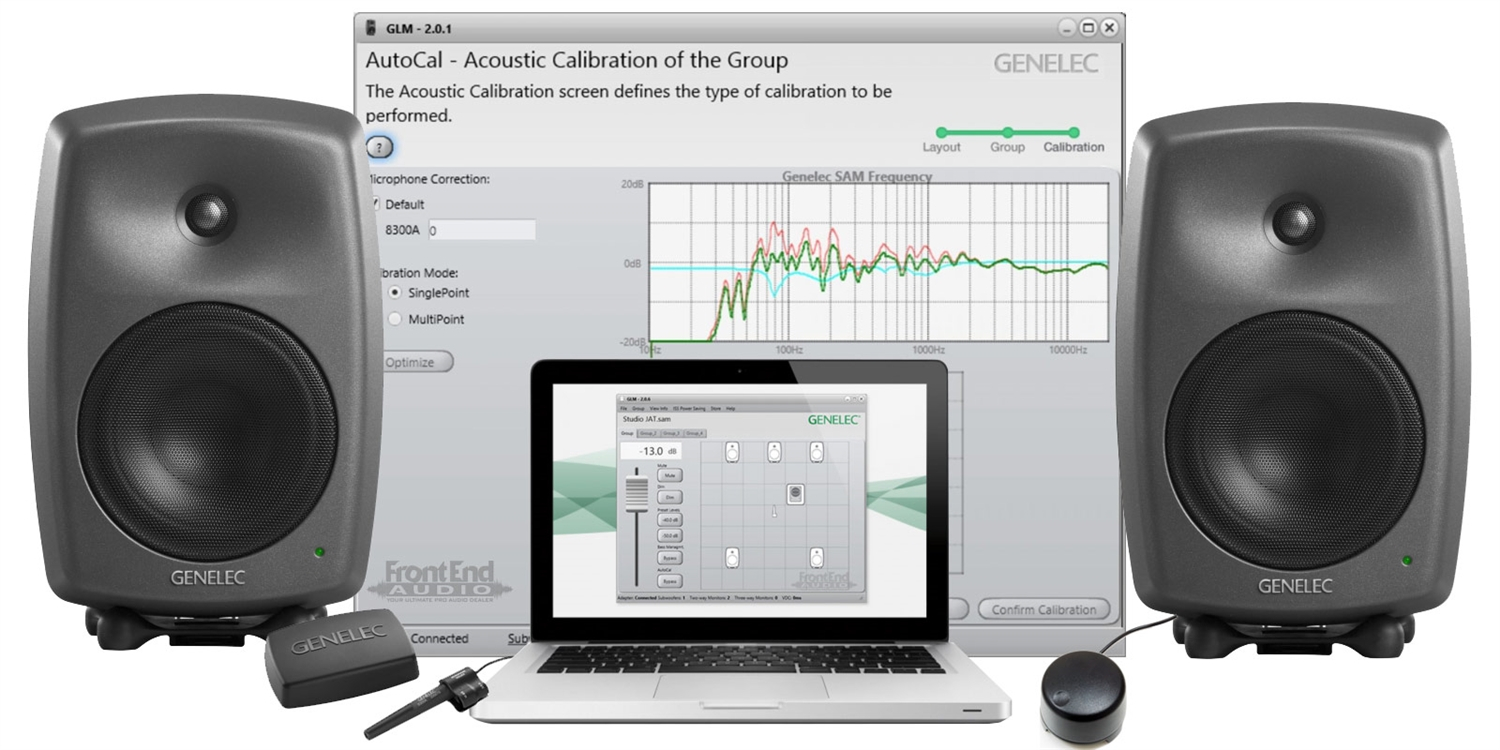 The situation is different when investing in speakers from the Finnish manufacturer, which are quite expensive. However, such an investment will prove fruitless without the appropriate manufacturer software. The more expensive Genelec speakers are, the more important it is to calibrate them using the manufacturer's software. Cheaper Genelec models without this option are a significantly worse investment. The software is hardware-specific, and this speaker-to-room calibration should work well with any surround sound system. These speakers are therefore already compatible with the Eclipsa Audio system, but it's not certain whether this will be an optimal investment.
High-end home theater amplifiers also use the American offerings from Audyssey Laboratories. Recently, however, manufacturers of these amplifiers have been recommending the use of Swedish software. Marketing information from hardware manufacturers suggests that this software is somehow associated with the system, but it currently has no significant impact, which may change.

There's also a plug-in for foobar for advanced audio playback configuration with surround speakers. Theoretically, it offers a wide range of individual settings for Eclipsa Audio recordings, but in practice, it's difficult to use, even though it assumes the ability to decode analog quadraphonic recordings. It shouldn't have any problems with nearly half-a-century-old technology, but there's a caveat: SQ is decoded with mono surrounds (i.e., like ProLogic I), due to a defective coding specification. QS requires the front stereo separation to be set to 1.5, or else the sound field will be too narrow. In the case of modern solutions like Eclipsa Audio or Dolby Atmos, other solutions are needed, where such a plug-in is temporarily insufficient. Effective support at the operating system level will be necessary. An alternative is software independent of Dolby Lab., but its development is hampered by licensing restrictions. This is the most significant difference between Atmos and Eclipsa .
Dolby collects licensing fees from both the recording creators and the equipment. This is legally binding, which significantly complicates any development work. This may have worked somewhat with professional installations in movie theaters. It performed poorly in homes, but it worked well with DVD distribution. It was a practical compromise, but it's no longer relevant. Today, solutions are needed that are suitable for mass online distribution and individual home viewing. Creating this for Atmos was completely impossible due to licensing fees that are insufficient to finance extensive, advanced work and, moreover, make it very difficult in terms of formalities.
 This prompted Samsung to create Eclipsa Audio, which gained the support of internet giants who also joined the Alliance for Open Media. Microsoft is also among them , and they won't miss the opportunity to support new surround sound solutions in Windows at the OS level. This could be a pretext to introduce new applications for Windows, but Microsoft is cautious, having already been fined almost €500 million for the Media Player. It's a smart move to develop Eclipsa Audio for Windows and, at the same time, for Samsung TVs running the Linux-based Tizen operating system. This will also ensure optimal performance in Chrome, a browser that has also led to accusations of monopolistic tendencies from Google. All of this offers enormous potential for Eclipse Audio development, which will then be used in free Windows applications and browser-based solutions.
A big surprise might be the Korean program PotPlayer, which is free and already offers a wide range of audio configuration options. We can expect more direct cooperation with Samsung, which, thanks to the help of Harman/Kardon , has become the owner of many legendary audio equipment brands with a global reputation. Particularly important in the topic of Eclipsa Audio are: Bang & Olufsen, Boston Acoustics, Bowers & Wilkins, Denon, JBL, Marantz.

There's already a plugin for foobar that supports the Microsoft Spatial Sound API . However, the performance isn't yet stable enough, which isn't necessarily due to the plugin. It's possible that this will change with the development of Eclipse Audio . This is likely because the configuration in foobar with output supported by plugins for the Windows Audio Session Application Programming Interface has been very stable for years, and the same is true for other programs, including free ones.

In foobar, spatial audio output now works reliably with Windows Sonic for Headphones , which is included with the operating system. This feature also works reliably with other software. Similar support for the format being developed by Alliance for Open Media can be expected .
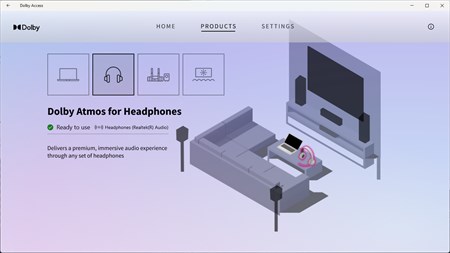
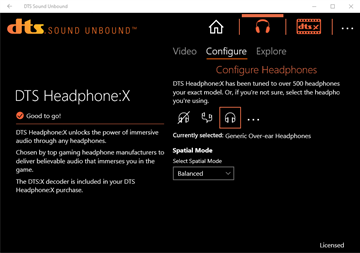
Surround sound options for Windows must be downloaded from the Microsoft Store :
- Download Dolby Access to start your free trial of Dolby Atmos for Headphones or set up a Dolby Atmos device.
- Download the DTS® Sound Unbound™ app to unlock (for free) the DTS:X for home theater solution for Xbox / Windows 11, or start your free trial of DTS® Headphone:X® for Xbox and PC to amplify your gaming and video content.

drawing by Per Oscar Dahlberg
Benjamin's psychoacoustic lab is constantly testing and implementing possibilities for optimal music playback using new technical solutions with the computing potential of computers and open structures. PC4uMusicis the main project and this blog is just a notebook focused on technical possibilities, not the beauty of words.

In March 2004, the EU ordered Microsoft to pay €497 million ($794 million or £381 million)
ReplyDeletehttps://en.wikipedia.org/wiki/Microsoft_Corp._v_European_Commission
Windows 10 version 1703 ("Creators Update") added platform-level support for spatial sound processing, including Windows Sonic for Headphones and Dolby Atmos for Headphones.[54] Dolby Atmos for headphones requires a license to function which can be purchased or redeemed inside the Dolby Access app.
ReplyDeletehttps://en.wikipedia.org/wiki/Dolby_Atmos#Headphones
Dolby Atmos vs Sony 360 Reality Audio: Grammy-winning Justin Gray explains the difference
ReplyDeletehttps://headlinerhub.com/dolby-atmos-vs-sony-360-reality-audio-grammy-winning-justin-gray-explains-the-difference.html